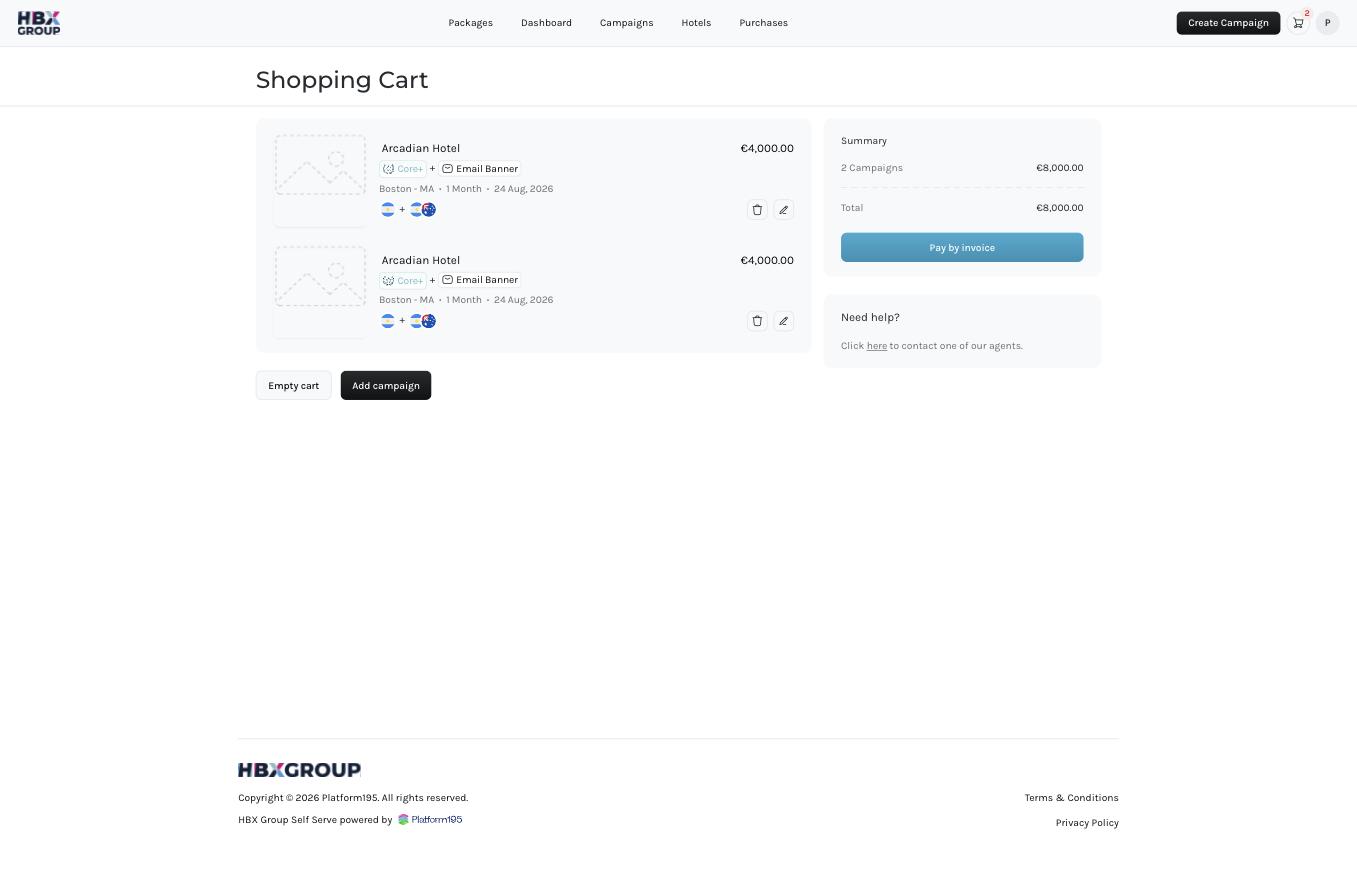
What’s in the cart
Each campaign in the cart shows its hotel, package, add-ons, district, timeline and start date, along with its price. The Summary panel on the right totals everything:- Campaigns — the combined price of the campaigns in your cart.
- Discount — any discount applied, such as the 25% for 2+ month timelines.
- Total — the amount that will be invoiced.
Actions
1
Edit a campaign
Click the pencil icon on a campaign to change its details, or the bin icon to remove it from the cart.
2
Add another campaign
Click to build another one before ordering, or to clear everything and start over.
3
Proceed to pay
Click to continue to the checkout and enter your billing details.
Payment is collected via invoice after you submit your order — no card details are taken in the Self Serve App at this time.