1
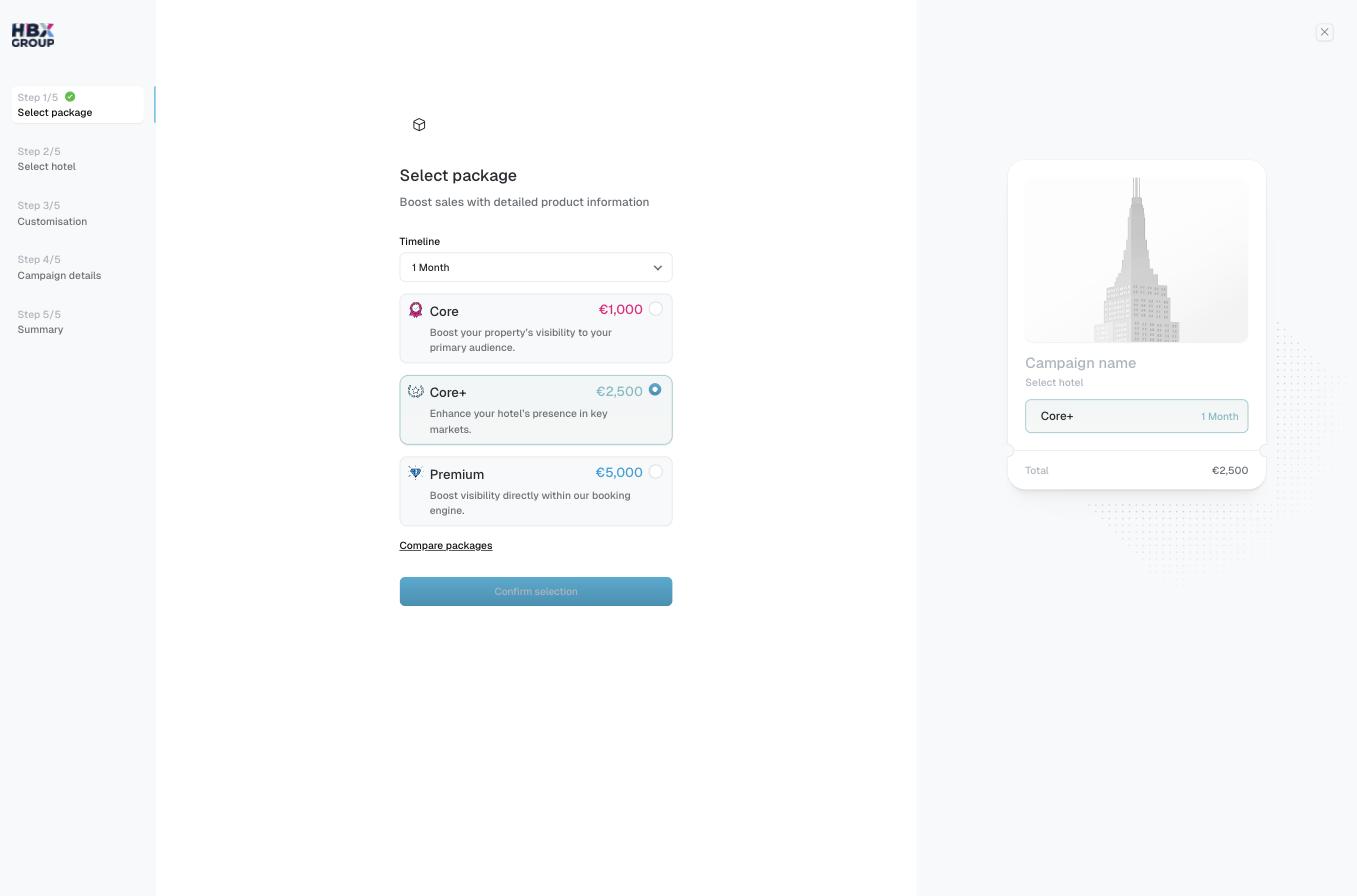
Choose a timeline
Use the Timeline dropdown to set the campaign length. Choosing 2+ Months applies a 25% discount to qualifying campaigns.
2
Select a package
Pick Core, Core+ or Premium. Each card shows its monthly price and a short description. The selected package is highlighted and its price feeds the running Total.
3
Compare if needed
Not sure? Click to see a side-by-side breakdown of what each tier includes.
4
Confirm
Click to move on to selecting your hotel.