1
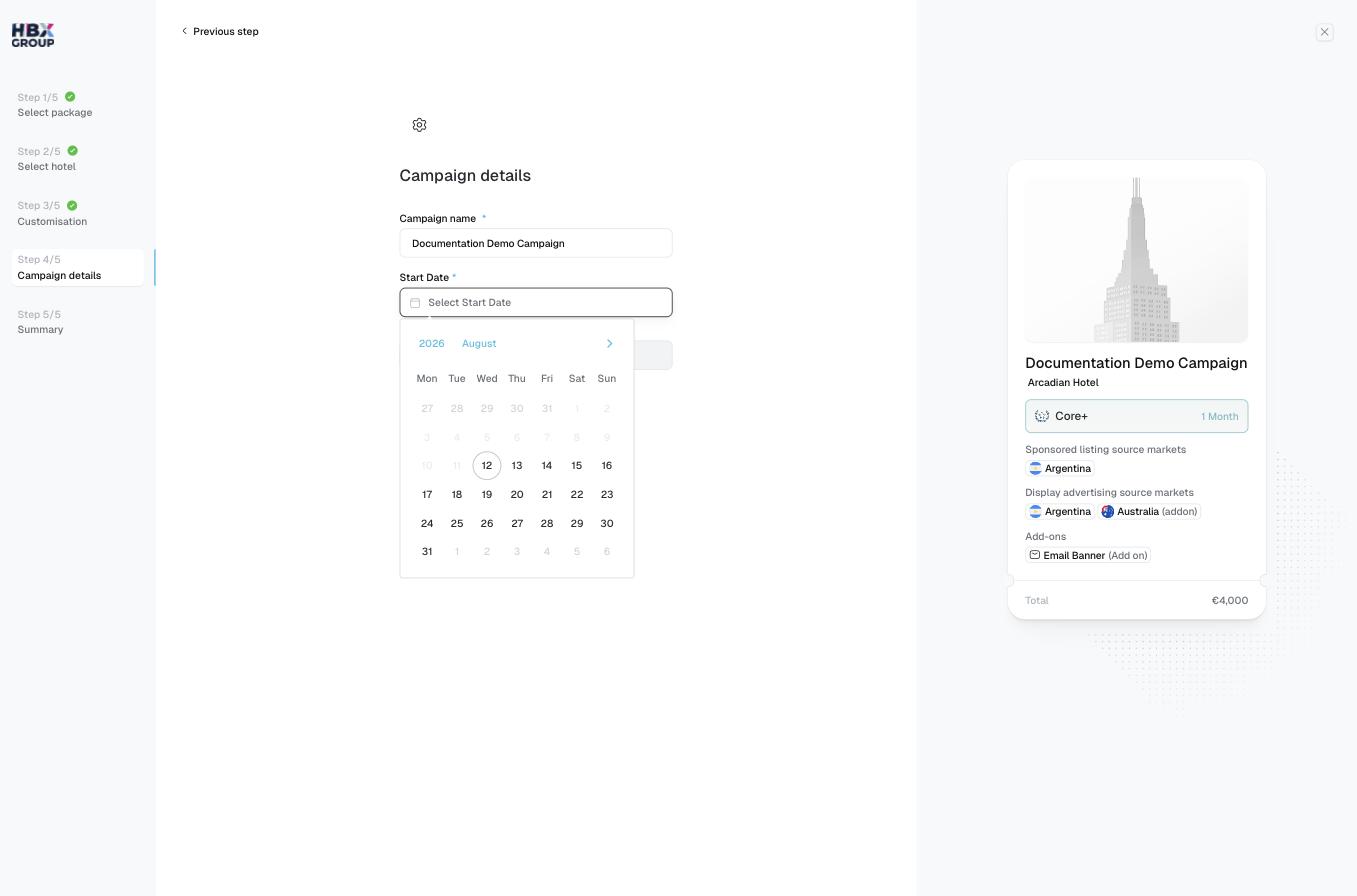
Name the campaign
Enter a Campaign name. This is how the campaign appears in your cart and on the Campaigns screen, so make it clear and descriptive.
2
Set the start date
Pick a Start Date using the date picker. The campaign runs for the timeline you chose in step 1, starting from this date.
3
Confirm
Click to review your summary.
Both fields are required — stays disabled until a name and start date are set.