> ## Documentation Index
> Fetch the complete documentation index at: https://hbx-docs.uplifthub.io/llms.txt
> Use this file to discover all available pages before exploring further.
# Summary
export const Ui = ({children}) =>
{children}
;
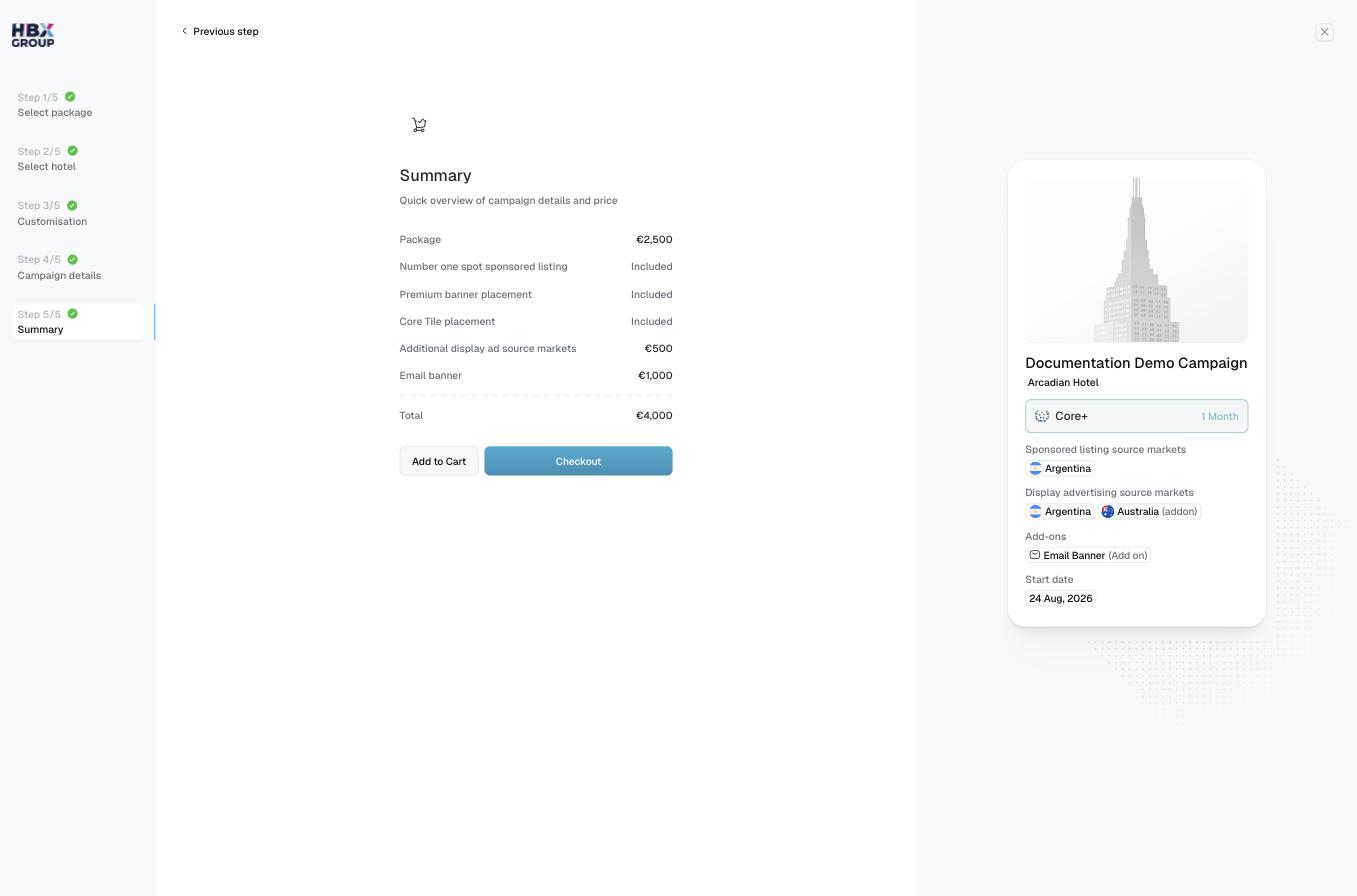
The final step is a quick overview of your campaign and its price. Each line shows what's included — package, placements and any add-ons — with extras priced individually and inclusions marked as **Included**.
## What the summary shows
The breakdown lists each component of the campaign, for example:
* **Package** — the base price for your selected tier.
* **Sponsored listing** and **banner placements** — marked **Included** where they come with your package.
* **Additional display ad source markets** — €500 per extra market.
* **Email banner** — €1,000 if added.
* **Total** — the full price for the campaign.
## Add to cart or check out
Check the line items and the **Total** match what you intended. Use Previous step to go back and adjust anything.
Click Add to Cart to keep building — useful if you want to create more campaigns before ordering — or Checkout to go straight to your cart.
Adding to cart lets you bundle several campaigns into a single order. See the [Shopping Cart](/checkout/shopping-cart) for the next step.