> ## Documentation Index
> Fetch the complete documentation index at: https://hbx-docs.uplifthub.io/llms.txt
> Use this file to discover all available pages before exploring further.
# Customisation
export const Ui = ({children}) =>
{children}
;
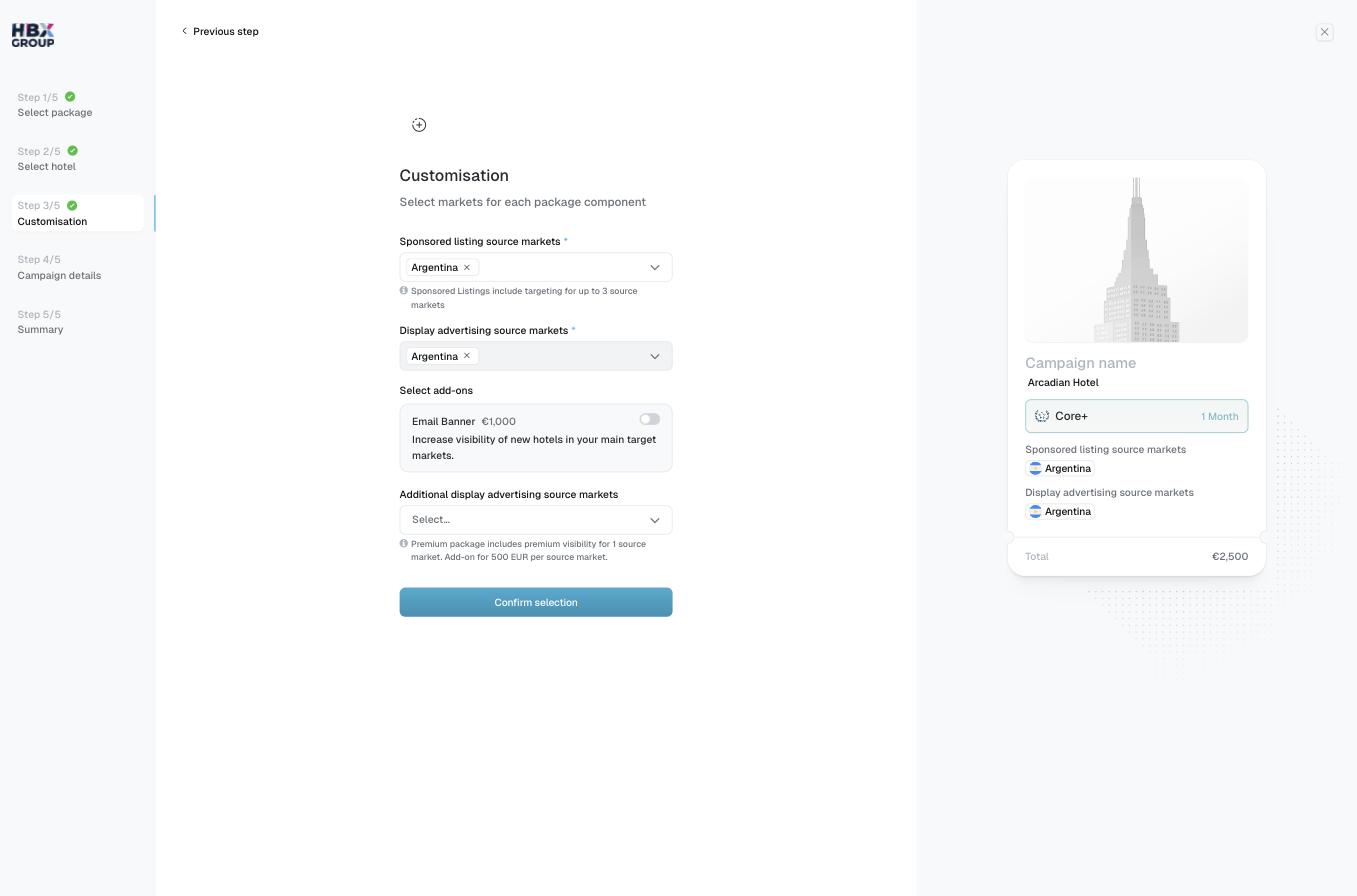
Customisation is where you choose the markets your ads run in and layer on any extras. Every change updates the campaign **Total** in real time on the preview card.
Use the **Display advertising source markets** selector to choose the markets included with your package — for example, `UK & Ireland`.
Under **Select add-ons**, switch on the **Email Banner** (€1,000) to increase visibility of your property in your main target markets.
Use **Additional display advertising source markets** to reach beyond what your package includes. Each additional source market is €500.
Click Confirm selection to continue to campaign details.
The Premium package includes premium display advertising visibility for one source market. Additional source markets are charged at €500 each.
See [Add-ons](/packages/add-ons) for more on additional markets and the Email Banner.